Can Remini restore old photos? Yes — the face is the catch
Remini is a dedicated enhancer, not a chatbot bolted onto a photo: it was built for exactly this, and on a small blurry portrait the improvement is dramatic. The thing to understand before you trust it with a memorial portrait is what it is doing to the face.
No credit card required. Your photo is deleted from storage within 30 days.
Yes. Remini will take a small, soft, grainy photograph and return something dramatically sharper, larger and cleaner — one tap, a few seconds, no skill required. For the ordinary case, a phone snapshot of a print, that is genuinely useful and it is the best-known tool of its kind for a reason.
The mechanism is the part worth knowing. Remini's core is face-aware enhancement: it detects faces, models what a face should look like at high resolution, and reconstructs accordingly. On a legible face that works beautifully. On a heavily degraded one — eighty pixels across, half the features eaten by blur — the model is not recovering your grandmother's features, it is producing features consistent with its training, guided by whatever shape survived. The output is a convincing face. It may not be her face.
That is why reviews of Remini split so sharply. People are not disagreeing about sharpness, which is undisputed; they are describing the same experience from two sides. For a profile picture or a phone wallpaper, a face that looks like the person and is sharp is exactly what was wanted. For a memorial card, a framed print, or a family archive, a face that has been quietly replaced is a failure — and it is one you cannot undo after the fact, because the original detail is gone.
Enhancement with the face held in place
The test is always the same: does the person survive the sharpening? The first pair is what Remini does well. The second is what it does to a face when there is little left to work from.
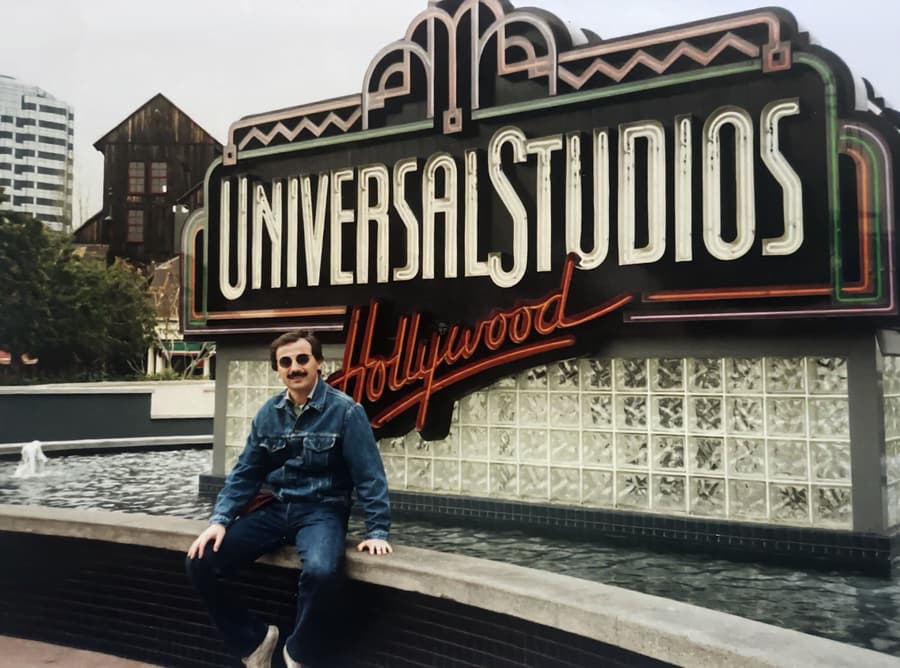
A soft snapshot, enlarged and clarified
This is the strength: softness and small size both improve dramatically in one pass. Look at the sign lettering and the neon — that detail was rebuilt from the print.

And then there is the face
Same photograph, one tap. The features are sharper and the jewellery is defined, and the face is not quite the face in the original print. That is the trade.
Where the one-tap approach runs into trouble
Face enhancement is generative: the more degraded the source, the more of the face is inferred rather than recovered. Likeness drifts without any warning.
There is no control over how much is invented. You cannot ask it to sharpen only the hair and leave the eyes alone.
It enhances; it does not inpaint. A tear, a missing corner or a mould scar is not reconstructed — at best smoothed over, at worst smeared.
The free tier carries ads, daily limits and export restrictions, so the honest test on your hardest photo usually means a subscription.
Output is sized for a device screen. A large print needs more pixels than the enhancement provides, and upscaling it afterwards compounds the invention.
Getting a good result, and knowing which result you got
Test it against the original, at the eyes
Enhance a copy, then open both at 100% and compare the eyes, the ears and the hairline. Remini is at its best when the input face is still legible; the drift becomes obvious when it is not. If the eyes have changed shape, the result is a reconstruction, and you should decide consciously whether you are willing to keep it.
Match the tool to the use
A sharper face for a phone screen, a group chat, a slideshow at a wake: Remini is a reasonable answer and it costs one tap. A print, a frame, a genealogical record, an obituary — those need the original file repaired, faces constrained, and resolution built to the print size you intend, so what hangs on the wall is still the photograph.
Restore before you enhance, not after
Damage first, then resolution. Enhancing a torn, scratched scan teaches the model to reconstruct damage as if it were detail — scratches become texture, tears become plausible shapes. Repair the damage in place while the structure is still intact, then upscale the clean version. The order is the single largest difference between a good result and a plausible one.
Private by design
Auto-deleted in 30 days
50 MB and 8,192 px
The largest photo the uploader accepts
First one is free
No credit card required
Remini and old photos — the honest FAQ
Can Remini restore old photos?
Yes for enhancement — sharpening, denoising, upscaling, and face reconstruction — and it is very good at all four. It is not a repair tool: it does not inpaint torn corners or rebuild missing structure from the surrounding print. For an intact but soft photo it is one of the fastest routes to a better image; for a damaged one, it flatters the damage instead of fixing it.
Does Remini change the person's face?
It can, and by design. Remini reconstructs faces from a model trained on faces, so it fills in what the source cannot support. On a clear face the change is minor sharpening. On a badly degraded face the reconstruction dominates, and the output becomes a face that fits the data rather than the person in front of you. Compare the eyes at 100% before and after; that is where it shows.
Is Remini free?
There is a free tier with ads, daily limits and export restrictions, and a subscription for unlimited and higher-resolution use. Because the free limits fall exactly on the photos that need the most work, the real cost of testing it on your hardest photo is usually the subscription.
Can Remini repair a torn or water-damaged photo?
Not really. Remini enhances what is there. A tear through an arm, a missing corner, a water stain across a dress — those need the missing area rebuilt from the surrounding pixels, which is inpainting rather than enhancement. Run a repair pass first and Remini afterwards, and the result is far better than either alone.
Can Remini make a photo printable?
It increases resolution, so small prints improve a lot. Large prints are another matter: 300 dpi at 8×10 inches needs about 2,400 by 3,000 pixels, and the enhancement has to invent most of them. For a framed print, start from the original scan and rebuild to the target size instead of enlarging a screen-sized file.
What is the best alternative to Remini for old photos?
A restoration pipeline that does repair and resolution in the right order: damage removed in place, tone corrected, faces processed under a constraint rather than regenerated, and output sized for print. Pinin runs that pass and the first photo is free, so the comparison costs one upload — and you can run the same 100% eye test on the result.
Sharp and still her
Sharpen, clean and enlarge the original file without regenerating the face. First restoration free, no card required.
Restore your first photo for freeWhere this page sends you next
- Can ChatGPT restore old photos? — the assistant that will describe your photo instead
- Can Claude restore old photos? — no image at all — and what it is good for
- Can Gemini restore old photos? — a re-draw with more colour and less control
- Can Meta AI restore old photos? — feed-sized enhancement inside WhatsApp
- Can Photoshop restore old photos? — what hours of hand work buys you instead
- Upscale a photo — enlarging a photo without rebuilding the face