Can Gemini restore old photos? Yes — by drawing a new one
Gemini is the assistant in this family that actually returns an image, and it is startlingly good at small fixes. The trade is the same every time: you get a re-rendered picture, not your file repaired. What survives, what drifts, and where the ceiling is.
No credit card required. Your photo is deleted from storage within 30 days.
Yes, with a qualification that decides whether the result is usable. Gemini's image editing takes your photo and produces a new image that looks restored: scratches softened, a faded sky filled back in, a black-and-white portrait given colour, a torn corner made whole. For a photo destined for a screen it can be convincing in a single prompt.
What it does not do is repair your pixels. The model re-draws the frame from what it understands about the scene, at roughly screen resolution. Where the source is legible, the re-drawing is close. Where the source is not — the far eye, lettering on a sign, the second row of a group photo — it fills in with something plausible. That is not a bug in the prompt; it is the mechanism, and it is why the face in the output is often a person who resembles your grandmother rather than your grandmother.
There is a second thing to know before you use it on anything archival. Google marks its generated images with SynthID, an invisible watermark carried in the pixels. For a family archive that is a provenance decision, not a technicality: the file you save is a generated image, and it says so to anyone who checks.
Repair, not re-drawing
These are the cases where "looks restored" and "is restored" part company: colour has to be guessed, the damage has to be filled from the surrounding print, and the likeness has to survive both.
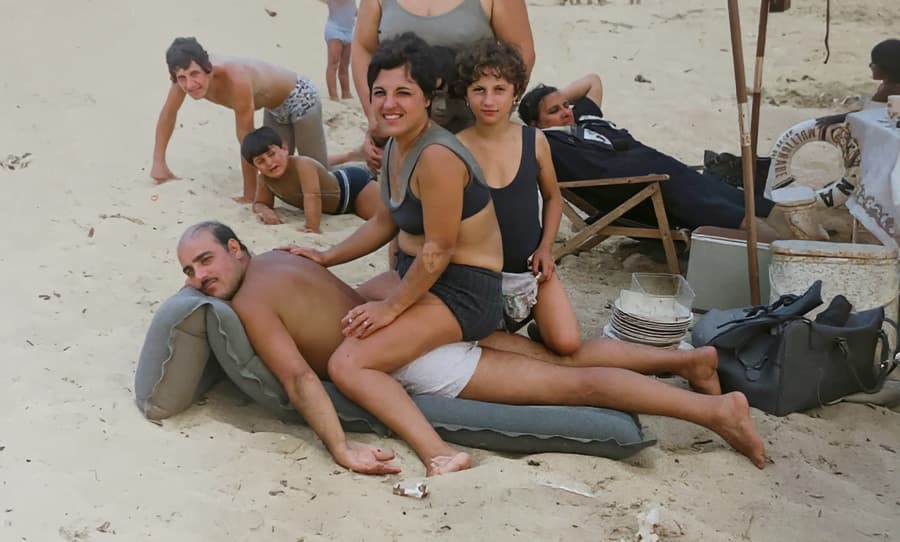
Colour inferred, not recorded
A generative model is genuinely good at guessing colour from period, print and scene. What it cannot guarantee is that the guess matches the swimsuit that was actually green.
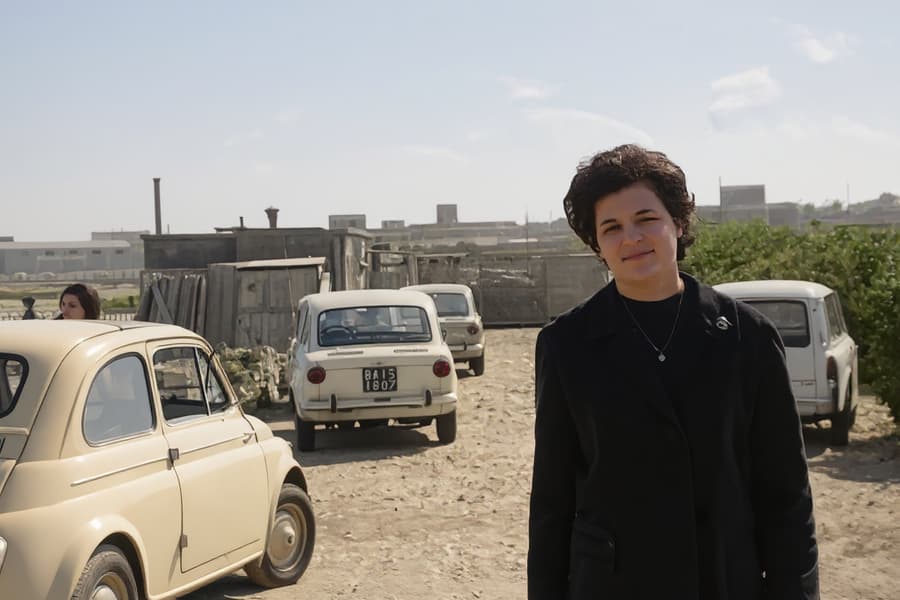
A faded print, re-rendered
The re-draw recovers the contrast and adds the colour, and it also re-decides what the file should look like. Compare the faces at 100% — that is where the re-drawn version drifts.
What actually goes wrong, in practice
Each prompt is a fresh generation. Ask for four corrections in four passes and you get four re-drawings, each a little further from the original face.
Output lands around screen resolution, so an 8×10 print from it is soft no matter how sharp it looks on a phone.
Handwriting and printed lettering get "corrected" into plausible words — a real hazard on the back of a photo or a studio stamp.
The result carries an invisible Google watermark, and the app shows its own mark: fine for a birthday post, wrong for a framed print or an archive.
There is no control that says "repair here, leave that alone". The instruction is a sentence, and the model interprets all of it.
How to get the most out of Gemini without losing the photo
Give it the narrowest possible instruction
One change per pass, and name what must not move: "remove the scratches on the left half only and keep the face, the expression and the framing exactly as they are". Gemini follows that better than "restore this photo", which invites it to improve everything. Then stop. Every extra pass compounds whatever drift the first one introduced.
Judge it at 100%, not at thumbnail size
Put the original and the output side by side at 100% and look at the eyes, the hairline, the ears, the buttons. If the eyes are a different shape, the likeness is gone even if the image looks cleaner. This test takes a minute and settles the question more reliably than any review.
Use it to decide, then have the file repaired
The best use of Gemini in a restoration project is as a preview: colourise a portrait to see whether the family likes the direction; clean the top copy to see whether the photo is worth restoring properly. Once you have decided, restore the original file in a pipeline that inpaints the damage in place and rebuilds resolution to print size — so what ends up on the wall is still the photograph you started with.
Private by design
Auto-deleted in 30 days
50 MB and 8,192 px
The largest photo the uploader accepts
First one is free
No credit card required
Gemini and old photo restoration — the honest FAQ
Can Gemini restore old photos for free?
The Gemini app allows image edits within its free tier, with limits that move as Google changes plans. What matters more than the price is the output: you receive a re-drawn image at screen resolution. That is a fair exchange for a social post and a poor one for a print you plan to frame.
Does Gemini change the face in an old photo?
Usually, yes — subtly at best. The model regenerates the frame, and a face is the hardest thing to regenerate faithfully because likeness lives in millimetre-scale structure: the set of the eyes, the gap between nose and lip. The more degraded the original face, the more the output is an invention of "an elderly woman" rather than the woman herself. A dedicated restoration pipeline constrains repairs to the damaged regions, which is why the likeness survives.
Can Gemini fix a blurry photo?
It will produce a sharper-looking image, and on mild softness the result can look good on a phone. It is not deconvolution, though: it is generating detail consistent with the blur rather than recovering the detail that was displaced. Past a few pixels of smear the "recovered" detail is invented, which is exactly the case where a face stops being recognisable.
Is the Gemini output good enough to print?
Rarely. Output resolution sits around the screen end — about a megapixel — so a 6×4 inch print at 300 dpi needs twice the pixels you get back. Upscaling that generated file afterwards compounds two layers of inference. If the photo is going on a wall, restore the original at print resolution instead.
Does Gemini watermark restored photos?
Google applies SynthID, an invisible watermark embedded in the pixels of its generated images, and the app marks output visibly. Neither is a problem for a WhatsApp photo. Both are a problem if the image is going into a family archive, a published article, or a memorial print where someone may later need to know whether the file is a photograph or a rendering. Keep the original scan regardless.
What is Gemini genuinely best at here?
Colour decisions and quick previews. Colourising a black-and-white portrait to see whether the family likes warm or cool skin tones costs one prompt, and the answer guides a proper colorisation. Cleaning a copy to judge whether a photo is worth the effort is the same trick. Use it as the contact sheet, not as the negative.
A preview is free. The photograph can stay a photograph
Use Gemini to decide what the photo should look like, then restore the original file at print resolution. First restoration free, no card required.
Restore your first photo for freeWhere this page sends you next
- Can ChatGPT restore old photos? — why the better-known assistant is the weaker choice here
- Can Claude restore old photos? — the one that admits it cannot produce an image
- Can Meta AI restore old photos? — the same re-draw, at feed size, inside WhatsApp
- Can Photoshop restore old photos? — what a filter can do that a re-draw cannot
- Can Remini restore old photos? — sharpening a face by rebuilding it
- Fix a blurry photo — when the photo is soft rather than faded or damaged