Fix pixelated photos — recover detail AI lost for you
Pixelation is what a photo looks like when it holds less data than the screen asks for. Pinin rebuilds the detail the pixels threw away — edges, texture, faces — instead of just blurring the blocks together.
No credit card required. Your photo is deleted after 30 days.
Pixelation has a familiar look: faces that dissolve into cubes, text and fabric that shimmer, edges that staircase. It happens whenever a photograph exists at a lower resolution than the way it is being viewed — a small print scanned too small, a screenshot of a photo from a messaging app, an image downloaded from an early digital camera, or a file compressed so many times that the compression blocks themselves became the picture. Most "fixes" make it worse. Simple sharpening amplifies the block edges. Blurring hides them at the cost of every real detail. Genuine repair works differently: a super-resolution model reads what kind of detail the pixel pattern implies — the line of a jaw, the weave of a sweater, the grain of film — and reconstructs it at a higher resolution, so the blocks disappear because the detail is real again, not because they were smoothed over. Pinin runs exactly that pass, with dedicated face handling, in about thirty seconds. The first photo is free.
Pixelated photos fixed — real before and after
Low-resolution and soft images rebuilt by Pinin’s enhancement models. Drag the slider to compare the blocky original with the recovered result.
.png)
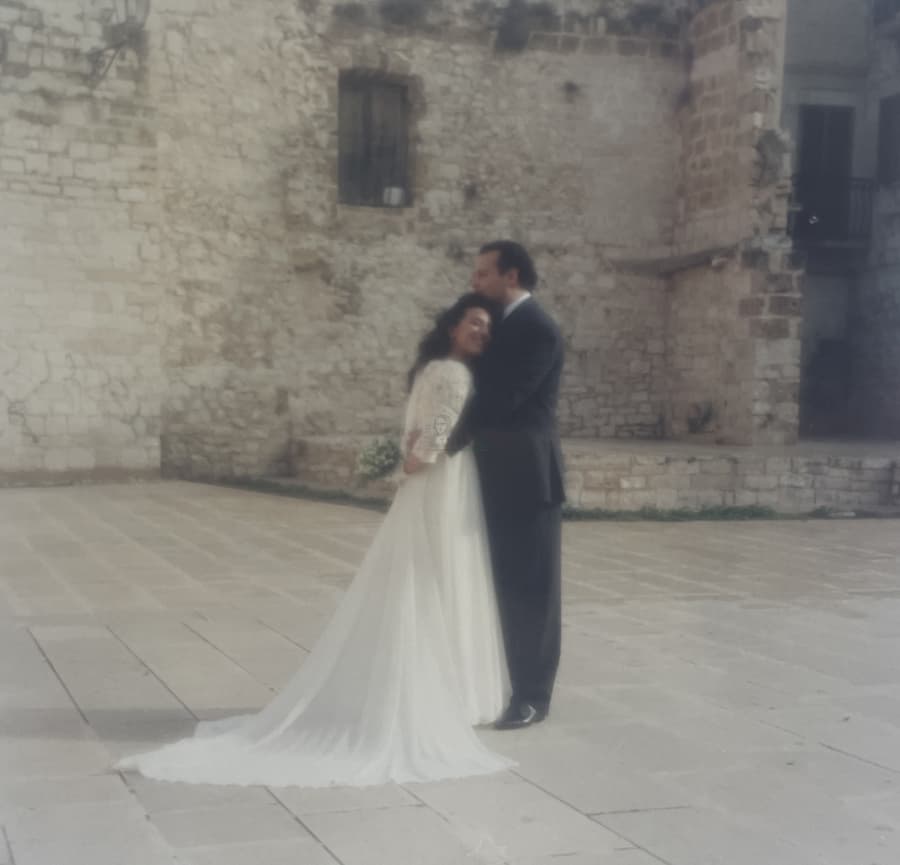
Small scan, detail recovered
An undersized scan upscaled with synthesized detail — edges clean, texture believable, face sharp.
Soft image, sharpened and clean
A soft, low-quality image brought back to crisp edges and natural texture without halos or artifacts.
Pixelation and low resolution Pinin repairs
Scans made at postage-stamp size, enlarged until every face is a grid of visible blocks
Photos saved out of messaging apps, where compression smashed fine detail into uniform squares
Old digital camera files at 640×480, meaningless on a modern screen and useless for printing
Screenshots of photos, where interface elements, moiré, and double compression pile on top of pixelation
Zoomed crops — the one face you need, cropped so tight that pixelation took over
Prints reproduced from tiny originals, carrying the pixel blocks onto paper
Pixelation stacked on top of real photo damage: blur, fading, or scratches under the blocks
Files re-saved so many times that artifacts from every generation are baked into the image
How Pinin fixes pixelated photos
Upload the best file you have
Pixelation repair works from whatever survives — but upload the original file, not a re-saved copy of it. Every additional save adds another layer of compression artifacts on top of the ones already there. Do not sharpen, resize, or filter the image first; the model reads the raw pixel structure and does a better job on unmodified input. Even a small file is worth restoring: the AI needs far less data to rebuild a face than you would think.
AI reconstructs the lost detail
The model classifies the pixelation — compression blocks, low sampling density, or upscaling damage — and synthesizes the detail class each region implies: skin, hair, fabric, sky, text. Faces get a dedicated pass, because the eye is unforgiving about faces: the model rebuilds facial structure from the low-frequency information that survives, keeping identity intact while removing the blocks. The output is a clean, higher-resolution image with continuous edges and natural texture.
Compare and use it anywhere
Thirty seconds later, compare against the original: the block grid should be gone, edges continuous, faces recognizable. The restored file is ready for printing, framing, or sharing — and if you plan to print large, this is the same pass that prepares a small photo for poster size. Your upload is auto-deleted after 30 days; the restored file is yours to download.
Private by design
Auto-deleted in 30 days
30 seconds or less
Most photos restored instantly
First one is free
No credit card required
Pixelated photo repair — what to know
Can you really fix a pixelated photo, or just hide the blocks?
Really fix it — within the limits of what survived. AI super-resolution does not blur the blocks away; it reconstructs plausible fine detail from the statistical structure the pixelation preserved. Edges become continuous, fabric regains texture, faces regain definition. What it cannot do is recover exact forgotten details: if a face was stored at 20 pixels wide, the reconstruction is informed by what faces look like, not by a secret copy of the original scene. In practice, for the pixelation levels typical of old scans and shared photos, the result looks like the photo was never degraded.
What is the difference between fixing pixelation and upscaling?
They are two sides of the same engine. Upscaling increases resolution — making a photo physically larger, for printing or screens. De-pixelation removes the blocky artifacts that betray low resolution — usually also producing a larger, cleaner image in the process. If your photo is small and blocky, one Pinin pass does both: artifacts cleaned, detail synthesized, resolution increased. If your photo is already large but soft and compressed, the same pass cleans it without enlarging anything.
My pixelated photo is also blurry and faded. Can it still be fixed?
Yes — that combination is the normal case for old family photos, and Pinin handles it in a single pass. The pipeline repairs damage first, then rebuilds detail: fading and color shifts corrected, blur and pixelation processed, faces enhanced last. You do not need to fix one problem before uploading; the restoration runs the full suite on every photo. One credit covers the whole pass.
Will the restored photo look sharp when printed?
For typical pixelated sources — small scans, compressed files, old camera images — the restored output prints cleanly at standard photo sizes, and the enhancement can prepare a small original for poster-size printing. The honest rule: the more real detail survives in the source, the sharper the print. A 300-pixel-wide file will print beautifully at postcard size and acceptably at A4; a heavily compressed but high-resolution file often prints like new. Zoom to 100% on your restored download before ordering prints.
Does it keep faces looking like the actual person?
That is the hard requirement, and the reason faces get a dedicated model pass. Identity lives mostly in low-frequency structure — face shape, feature spacing, expression — which survives even severe pixelation. The reconstruction rebuilds from that structure rather than inventing a new face, so the person remains recognizably the same. Family members comparing the restored photo with other pictures of the same person should see the same face, just clearer.
How much does it cost to fix a pixelated photo?
The first photo is free, no credit card required. After that, one credit per photo: $1.50 each, 5 credits for $5.99, or 20 credits for $19.99. The $12 monthly plan includes 30 credits for anyone restoring a whole box of low-quality scans.
The pixels threw the detail away. Take it back.
Upload a pixelated photo and see it sharp again in thirty seconds. First restoration free.
Restore your first photo for freeTrusted by families, historians, and photo enthusiasts worldwide