Loading...
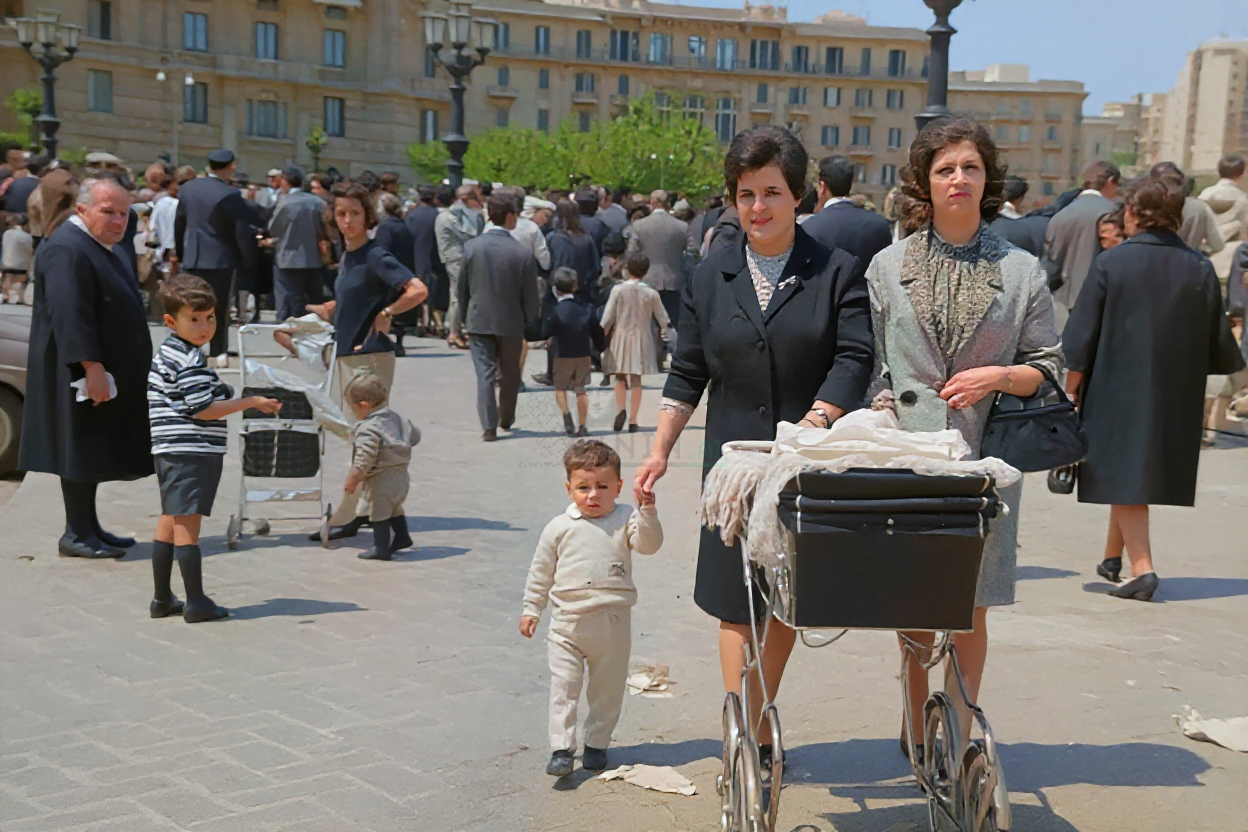
How Does AI Photo Colorization Work? The Science Behind Adding Color to Black & White Photos
Colorizing a black & white photo used to be a painstaking manual craft: an artist would spend hours researching period clothing, matching skin tones, and painting color onto every square inch. Modern AI photo colorization does the same job in seconds — but how, exactly?
The short answer: a neural network guesses the most probable color for every pixel, using patterns learned from millions of real color photos. The long answer — how the model sees your photo, what it learns, and why its guesses are sometimes wrong — is what this article covers.
What the model actually sees
A black & white photo is usually stored as a single channel of brightness. In image-processing terms, that's the luminance channel (Y). When the model processes your photo, it works in the YCbCr color space, where:
- Y — luminance (brightness, what your grayscale photo contains)
- Cb — blue-difference chrominance (how blue-ish vs yellow-ish a pixel is)
- Cr — red-difference chrominance (how red-ish vs green-ish a pixel is)
The model's job is to predict Cb and Cr for every pixel. Luminance is already known — the AI never invents lighting or shading. It only invents color, and it must make that color consistent with the existing brightness. A dark pixel can be dark red, dark blue, or dark green — the model has to figure out which.
Key insight: AI colorization is a prediction problem, not a recovery problem. The original colors are gone — the model is making an educated guess based on what the world usually looks like.
The colorization pipeline
Step 1 — Feature extraction (the CNN)
The first stage is a convolutional neural network (CNN) — the same family of architectures used for object recognition. As the image passes through convolutional layers, the network builds up a hierarchy of features:
- Early layers detect low-level patterns: edges, corners, gradients, noise.
- Middle layers assemble those into textures: hair strands, fabric weave, skin pores.
- Deep layers recognize semantic objects: faces, sky, grass, clothing, water.
That semantic understanding is the key trick. The network doesn't color pixels in isolation — it identifies that a region is sky and therefore should be blue, or is skin and therefore should be within a narrow range of warm tones.
Step 2 — Chrominance prediction
With features extracted, the network outputs a chrominance map: predicted Cb and Cr values for every pixel, often at reduced resolution and then upsampled. This is where the magic — and the mistakes — happen:
- The model is trained to minimize a loss function that penalizes wrong colors, so it learns to pick the most probable color given the context.
- Many modern models use a class-weighted loss: instead of predicting a continuous color value, they predict a probability distribution over a quantized palette (e.g., 313 color classes). Rare colors are weighted higher so the output doesn't collapse to gray or sepia.
- Because the network is rewarded for plausibility, it will choose a "safe" color when uncertain — which is why old AI colorizations often look muted, and why newer models still struggle with unusual objects.
Why do some photos colorize better than others? The model relies on context. A photo of a person on a beach gives strong cues (skin, sky, sand). A photo of an unfamiliar machine in a dark warehouse gives almost none — the model has to guess, and the result can look flat or wrong.
Step 3 — Color fusion and output
Finally, the predicted Cb and Cr channels are merged with the original Y channel, converted back to RGB, and — in most production systems including Pinin — passed through a refinement pass that cleans up color bleeding at edges and restores texture detail that the color layers might have smeared.
Why the training data matters
An AI colorizer is only as good as its training set. Pinin's colorization engine is trained on large, curated collections of color photographs spanning decades — which matters because color film itself changed over time:
| Era | Typical color characteristics |
|---|---|
| 1900s–1930s | Hand-tinted, muted, limited palette |
| 1940s–1960s | Kodachrome-style: saturated, warm reds |
| 1970s–1990s | Cooler casts, more neutral skin tones |
A model trained mostly on modern digital photos will "modernize" old photos. Training on era-appropriate imagery helps the model produce colors that look right for the period.
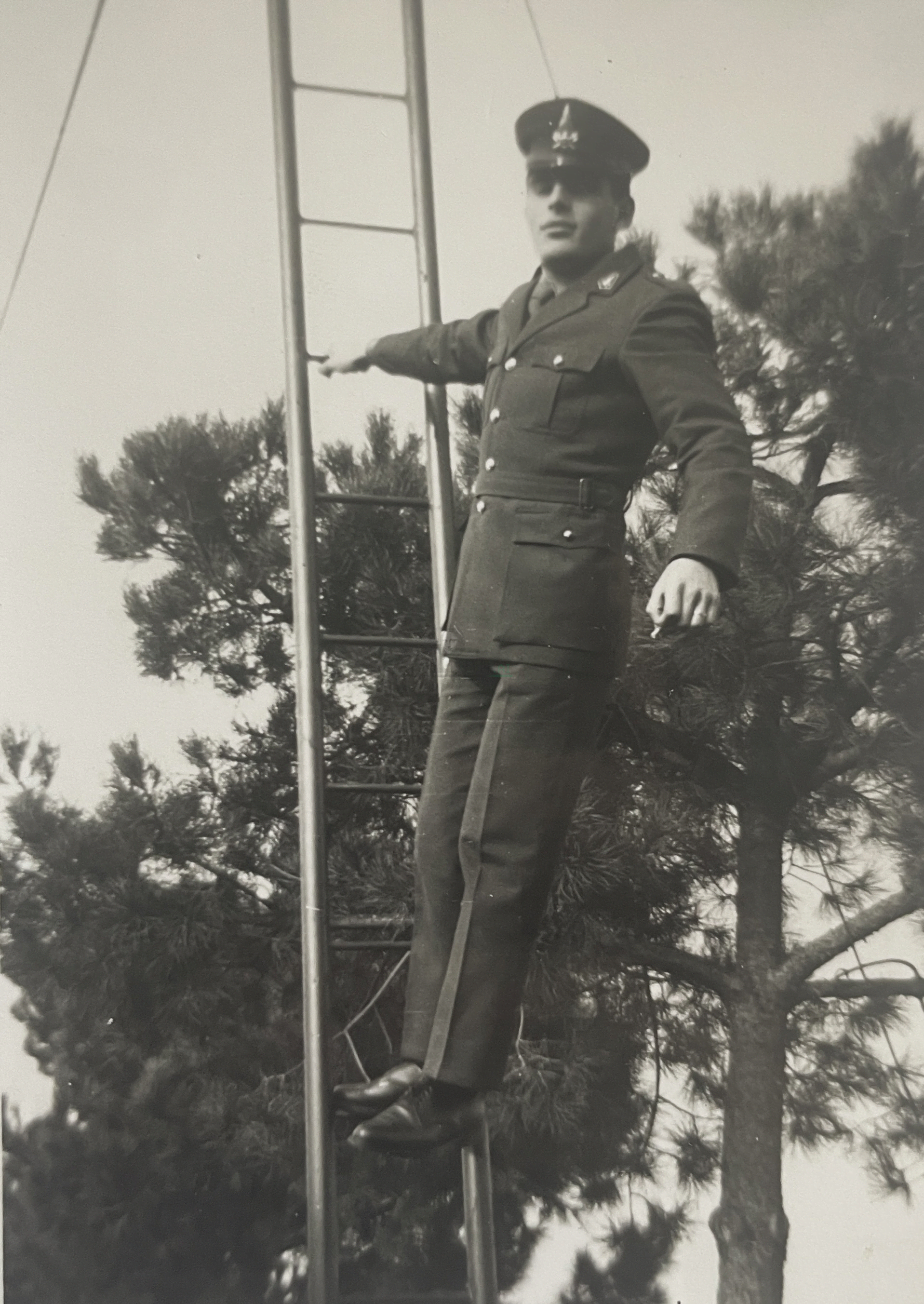
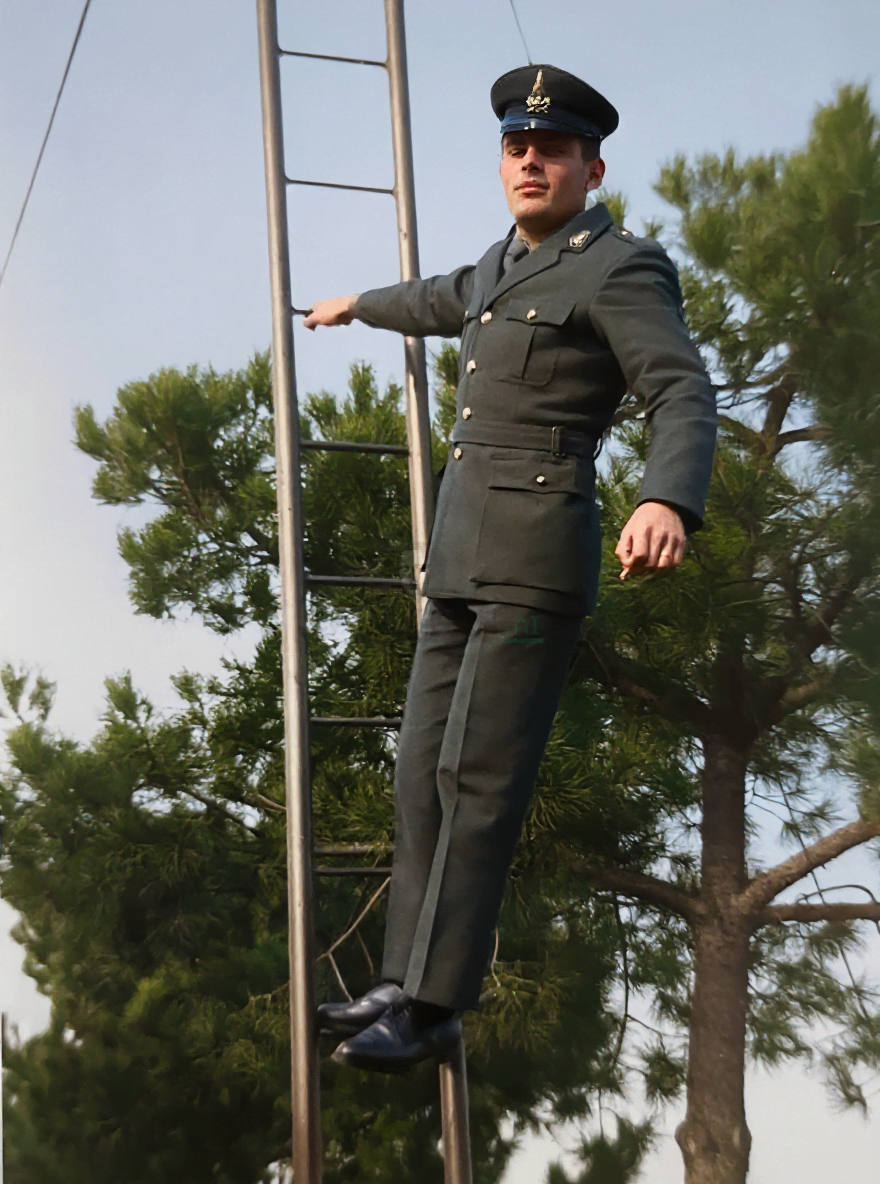
The honest limits of AI colorization
- It doesn't know the actual colors. Your grandmother's dress might have been burgundy; the model might choose navy because it's statistically more common. For family history, treat AI color as an interpretation, not a documentary record.
- Skin tones can drift on heavily damaged photos, because the damage disrupts the features the model relies on. Running scratch removal first usually helps.
- Uncommon scenes get generic colors. A rare car, an unusual uniform, or a custom-painted wall will often come out in generic, plausible colors.
- Text and fine detail can bleed. Small lettering or intricate patterns may lose contrast after colorization.
AI colorization vs manual colorization
| AI colorization | Manual colorization | |
|---|---|---|
| Speed | Seconds per photo | Hours to days per photo |
| Cost | One credit per photo | $50–$500+ per photo (professional) |
| Accuracy | Statistically plausible | Can match researched historical colors |
| Subjectivity | Consistent, deterministic | Depends on the artist |
| Learning curve | None | Years of practice |
| Best for | Large collections, drafts, quick results | Hero prints, museum work, exact color |
For most people and most photos, AI colorization is the right tool. If you need exact historical color (e.g., a museum exhibit), a professional colorist is irreplaceable — but for a family album, AI gets you 90% of the way there in 1% of the time.
FAQ
Is AI colorization accurate?
It's plausible, not factual. The model predicts the most probable color for each object based on training data. Skin, sky, foliage, and other common subjects usually look convincing; rare or ambiguous subjects may get generic colors.
Why do some black & white photos colorize better than others?
Quality depends on the source: higher resolution, cleaner scans, and scenes with recognizable objects produce better results. Heavily damaged or extremely noisy photos give the model less to work with.
Do I need to manually fix anything before colorizing?
Ideally, yes. Run Scratch Removal first, then colorize. Clean edges help the color model avoid bleeding color across scratches and tears. See the step-by-step colorization guide for the full workflow.
Can AI colorize a photo that's already partly colored?
Usually, yes — but results vary. If the existing color is faded, the model may treat it as grayscale anyway. If the photo is sepia-toned, the model typically preserves the warmth rather than guessing entirely new colors.
Try it on your own black & white photos
The fastest way to understand AI colorization is to see it on your photos. Upload a grayscale scan and let the model do its thing → Colorize a photo now.